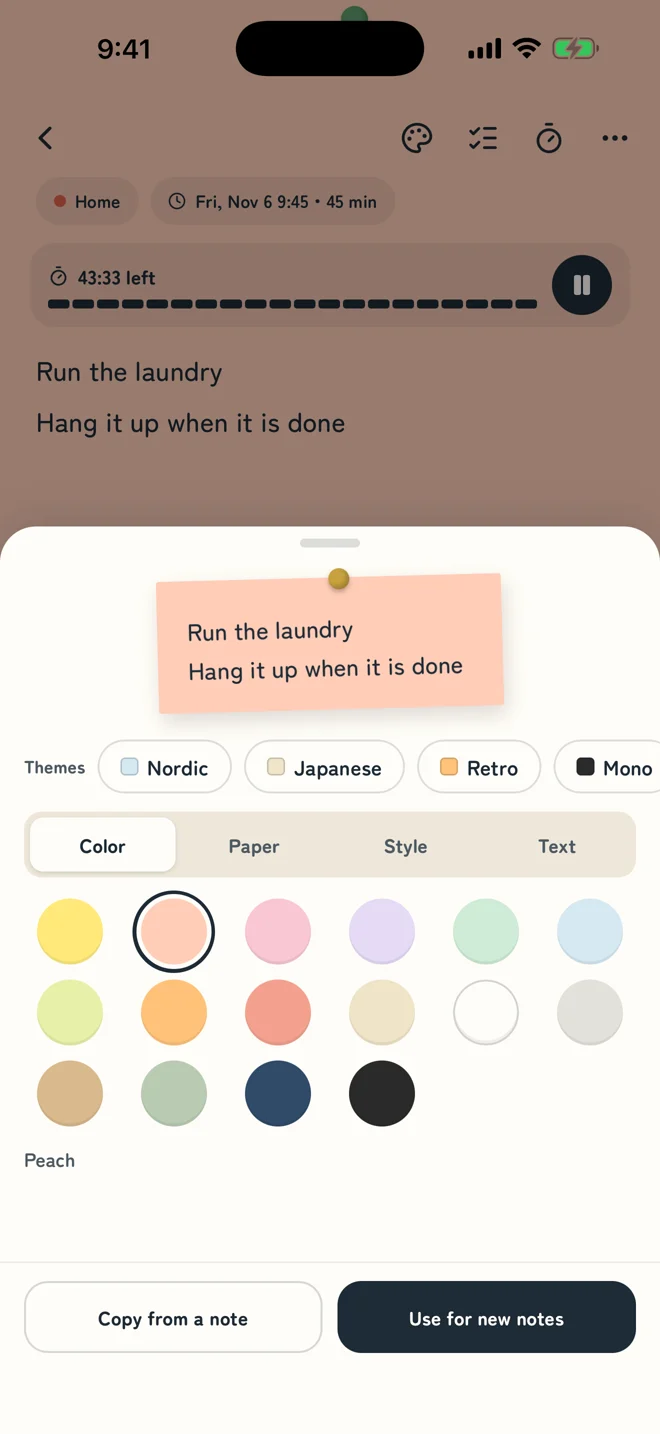
Choose the color, paper and style of every note
16 colors × 6 papers (plain, ruled, grid, dots, kraft paper, washi) × 8 styles (tape, pin, clip, folded corner…) × 3 fonts. Or start from a theme: Nordic, Japanese, Retro or Mono.
The thing you just thought of. The thing you have to do. Put it on a note and leave your phone on the desk. Pick the color, paper and decoration of every note, so it's one you're glad to look at. How you use the timer is up to you, and the more you use it, the more you'll rely on it.
Notes and timer share one screen. While you write, the time left stays in view.
There's no right way to use it. Put the notes and the timer together the way that works for you.
1
Write a note
A passing thought or a must-do. Make it a checklist, or give it a start time and a length.
2
Set your phone down
Leave it on the desk and your notes stay in sight. It can keep the screen on while the timer runs.
3
Move with the timer
Link it to a note, or just run the timer on its own. Repeat work and breaks, or add a minute when you need one.
Nothing special to learn. Write notes, start the timer, and before long you won't want to work without it.
16 colors × 6 papers (plain, ruled, grid, dots, kraft paper, washi) × 8 styles (tape, pin, clip, folded corner…) × 3 fonts. Or start from a theme: Nordic, Japanese, Retro or Mono.
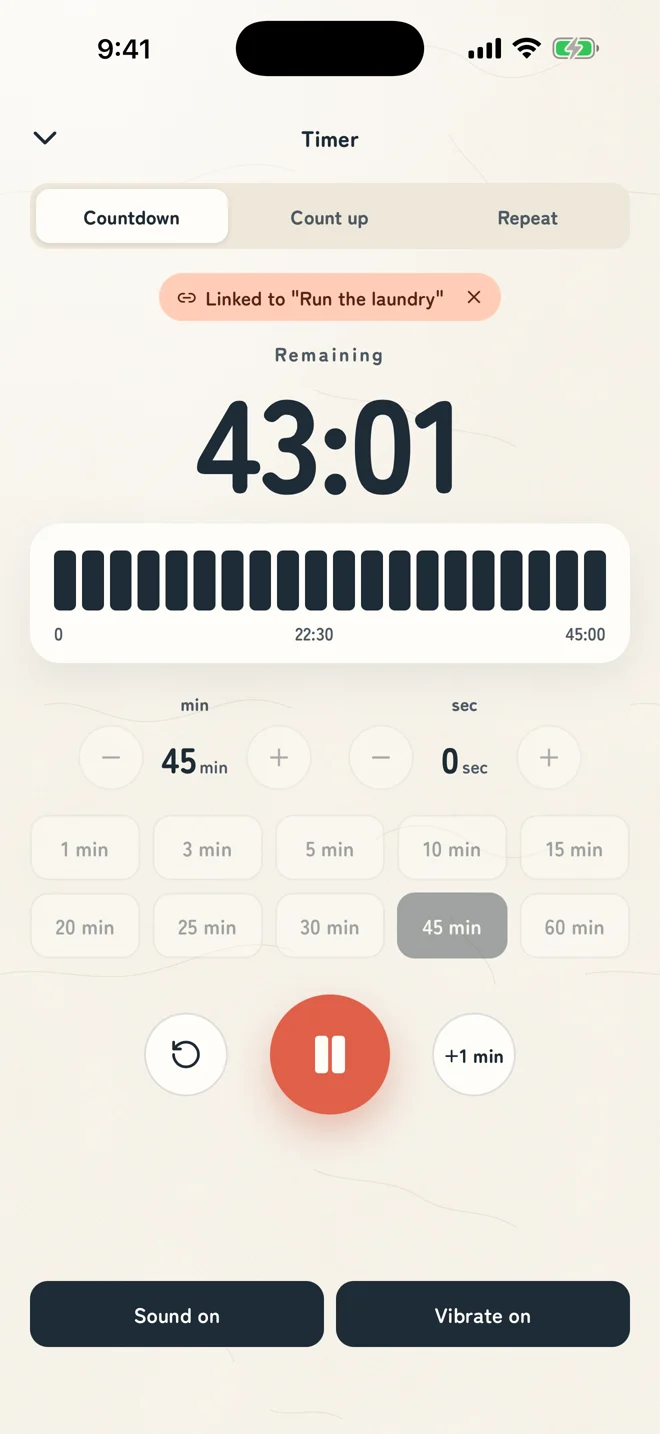
Countdown, count up, or repeat work and breaks. Pick a preset from 1 to 60 minutes, or set minutes and seconds. Sound and vibration each have their own switch.
Drag the timer onto a note and they're linked: the note shows a bar of the time left. Or use the timer on its own. It keeps the right time with the app closed and the phone locked.
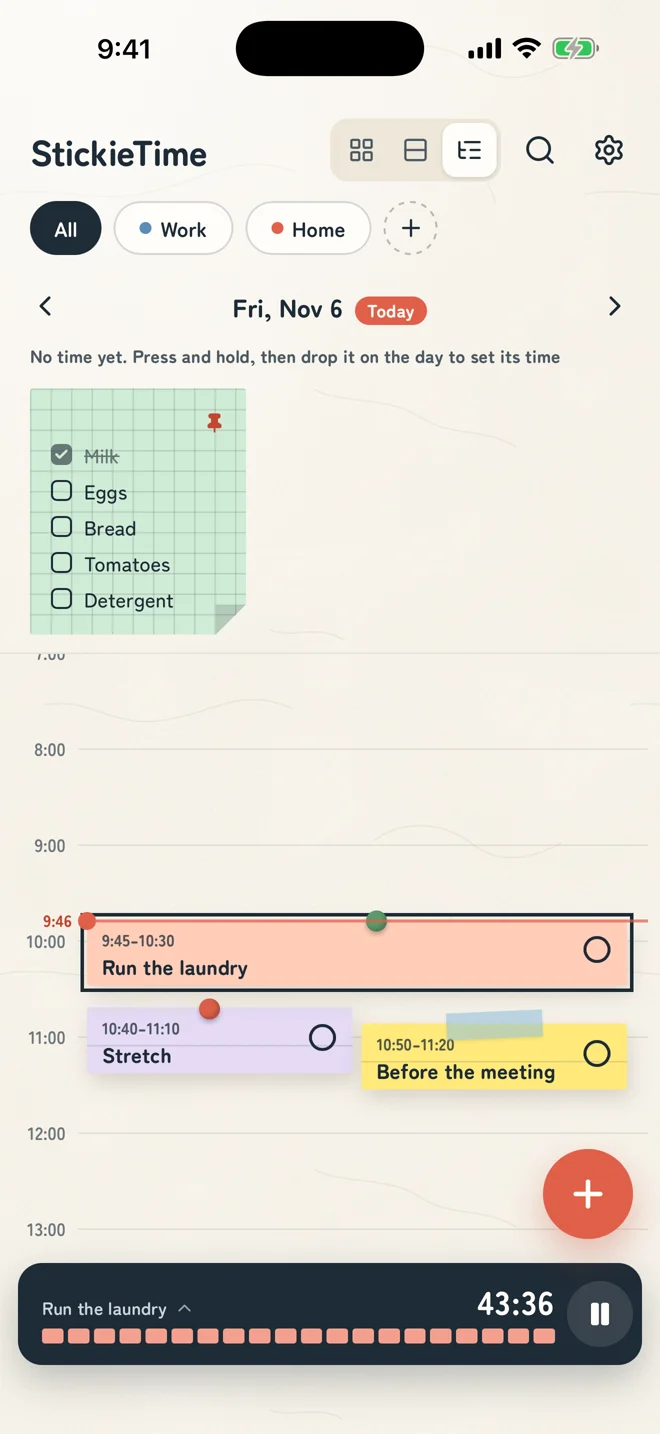
Give a note a start time and a length, and it lines up on the day. Drop a note on the timeline to set its time. Switch between grid, large and timeline views with one tap.
Free for up to 4 notes and 2 timer repeats. If you like it, one purchase removes the limits.
In Japanese, the app is called FusenTimer.